
Appearance Settings – Sitegenix.io
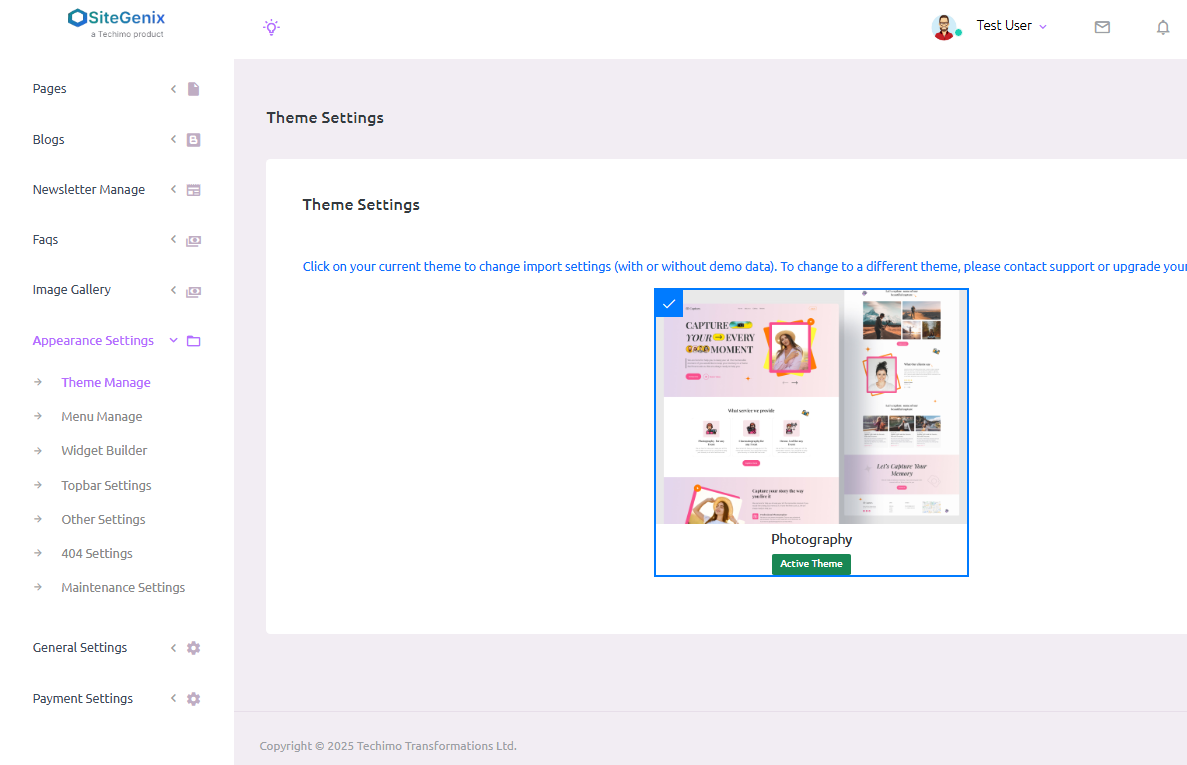
Overview
The Appearance Settings section in the Super Admin Dashboard enables the admin to manage the visual elements and layout of the website. From theme selection to widget placement and special page configurations, this section allows complete control over how the website looks and behaves for users.
1. Theme Settings
Admins can select and manage the active theme for the site. This setting defines the overall design, layout, and visual style of the entire website.
2. All Widgets
This section allows admins to manage widgets and widget areas. Widgets can be added, removed, or customized to enhance different areas of the site like sidebars, footers, or headers.
3. Topbar Settings
Admins can manage the content of the topbar section of the website, including contact details, social media links, and other header messages.
4. Other Settings
This tab allows admins to control additional theme-specific settings, such as customizing the Home Top Button text and URL link, ensuring visitors are guided to the desired section or page.
5. 404 Error Page Settings
Admins can design or configure the content displayed on the 404 Error Page, which appears when a user tries to access a non-existent page. This helps improve user experience and navigation.
6. Maintenance Page Settings
This section enables admins to manage and customize the maintenance page, which is shown to users when the site is temporarily under maintenance.
✅ Conclusion:
The Appearance Settings in Sitegenix.io provide all the essential tools to tailor your site's design, navigation, and fallback pages. Admins have full flexibility to maintain a professional, functional, and user-friendly interface across all areas of the website.