
User Management – Sitegenix.io
Overview
The User Management section enables Super Admins to effectively manage their user base. This includes actions such as adding new users, editing user details, deleting users, and sending email communications directly from the admin interface.
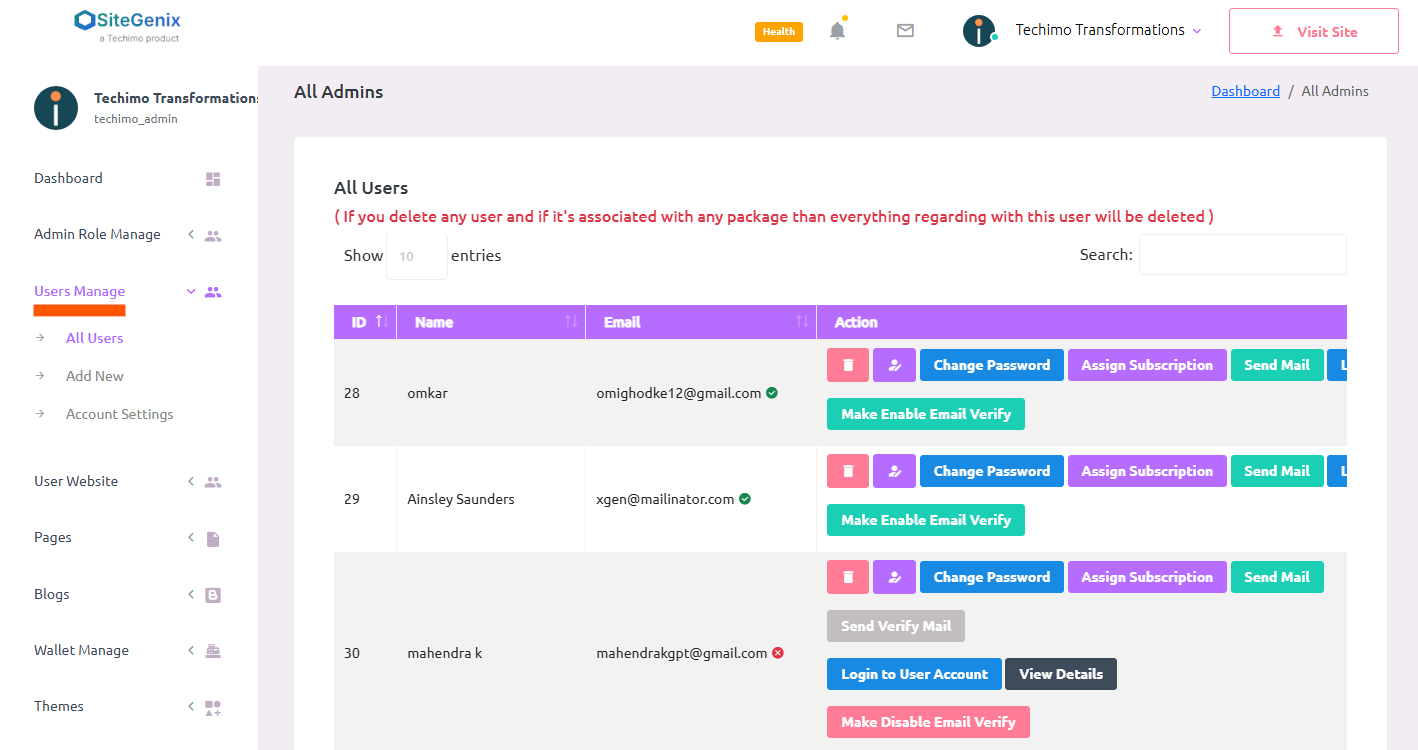
Steps to Manage Users:
Access the Super Admin Dashboard:
Navigate to the user dashboard.
Click on the "Login as Super Admin" button to enter the Super Admin panel.
Open the User Management Panel:
In the sidebar of the Super Admin dashboard, click on "Manage Users".
This will open a section where all registered users under the Super Admin's account are listed.
Available Actions:
Add User: Click the "Add User" button to register a new user. Fill in the required details in the form and submit.
Edit User: To update user information, click the Edit icon next to the respective user's name.
Delete User: To remove a user, click the Delete icon. A confirmation prompt will appear before the action is completed.
Send Email: Click on the Mail icon to compose and send an email to the selected user directly from the panel.
Notes:
- Make sure to confirm user details before saving or deleting records.
- Email functionality must be configured correctly in your system settings for messages to be sent successfully.