
User Registration and Login
Learn how to create an account and log in to SiteGenix.
Registration Options
SiteGenix offers multiple ways to create an account, making it easy for you to get started with our platform. Choose the method that works best for you:
Email Registration
Create an account using your email address and a secure password.
Google Sign-Up
Use your Google account for a faster, one-click registration process.
Email Registration Process
To register with your email address, follow these steps:
- Visit the SiteGenix signup page
- Enter your email address in the designated field
- Create a strong password (at least 8 characters with a mix of letters, numbers, and symbols)
- Click the "Sign Up" button
- Check your email inbox for a verification message
- Click the verification link in the email to activate your account
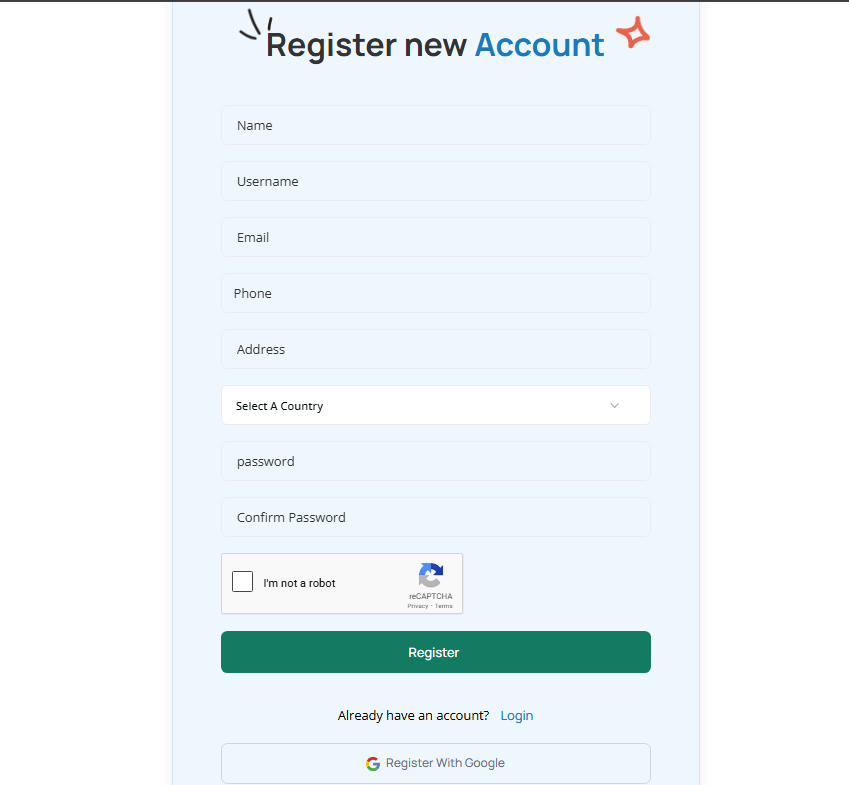
After verifying your email, you'll be prompted to complete your profile by providing additional information such as your name and organization (optional).
Google Sign-Up Process
To register using your Google account:
- Visit the SiteGenix signup page
- Click the "Sign Up with Google" button
- Select the Google account you want to use
- Review and accept the permissions requested
- Complete your profile with any additional required information
Using Google Sign-Up eliminates the need for email verification and allows you to get started with SiteGenix more quickly.
Logging In to SiteGenix
Once you've created an account, you can log in to SiteGenix using these steps:
- Visit the SiteGenix login page
- Enter your email address and password (or click "Login with Google" if you used Google Sign-Up)
- Click the "Log In" button
If you've forgotten your password, click the "Forgot Password?" link on the login page and follow the instructions to reset it.
Account Security
SiteGenix takes the security of your account seriously. Here are some recommendations to keep your account secure:
- Use a strong, unique password that you don't use for other services
- Enable two-factor authentication for an additional layer of security
- Never share your login credentials with others
- Log out when using SiteGenix on shared or public computers
- Regularly check your account activity for any suspicious behavior
Account Types
SiteGenix offers different account types to accommodate various roles and responsibilities within your organization:
Owner Account
The primary account with full access to all features, billing information, and user management capabilities.
Admin Account
Has most of the same privileges as the owner but cannot delete the account or change billing information.
Editor Account
Can edit website content but has limited access to account settings and user management.
Viewer Account
Can view website content and analytics but cannot make changes to the website or account settings.
To learn more about managing users and permissions, visit the User Management documentation.