
Pricing Plan Management
The Pricing Plan feature in Sitegenix.io allows Super Admins or Users to create, manage, and display various service or product packages directly to customers. These pricing plans can be customized to suit different business models—subscription-based, one-time payment, or tiered offerings.
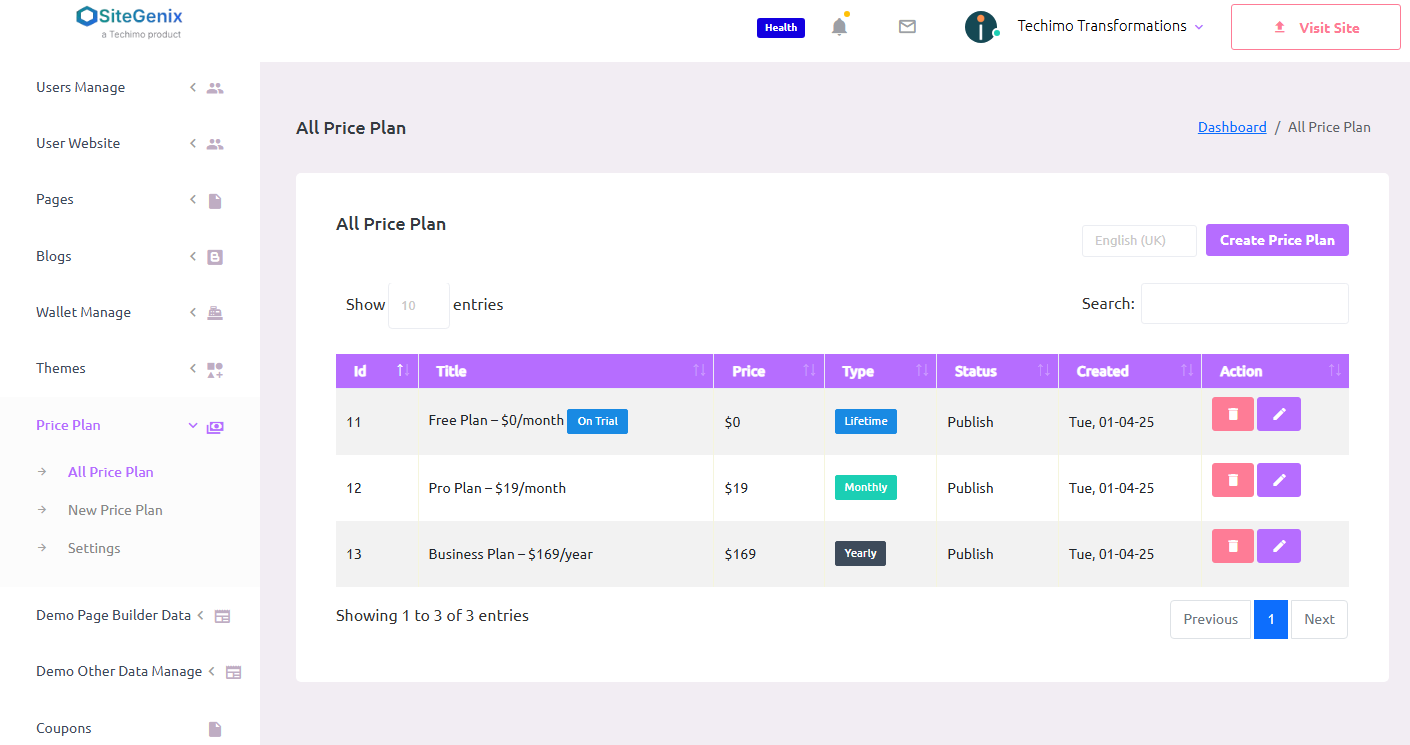
🔍 Accessing the Pricing Plan Section
- Login to your Super Admin Dashboard.
- From the left-hand sidebar, click on the "Price Plan" tab.
- This will take you to the interface where you can view, create, edit, or delete your pricing plans.
🆕 Creating a New Pricing Plan
To create a new pricing or service plan:
- Click on "Add New Plan".
- Fill in the required details:
- Plan Name: The name of your pricing package (e.g., Basic, Pro, Premium).
- Description: A short summary of what's included in the plan.
- Price: Set the cost of the plan (monthly, yearly, or one-time).
- Features: You can optionally add feature lists for customer clarity.
- Visibility: Set whether the plan should be visible on the customer side.
- Click Save to publish the plan.
✏️ Editing and 🗑️ Deleting Plans
- Edit: Click the edit icon next to any existing plan to modify its details such as price, description, or features.
- Delete: Use the delete option if a plan is no longer needed. This will remove it from both the admin and customer sides.
Note: Deleted plans cannot be recovered, so be sure before removing any package.
🌐 Displaying Plans on the Customer Side
Once a plan is created and marked as publish, it will automatically be displayed on the front-end of your site where users or customers can view, compare, and choose from the available packages.
You can integrate pricing plans into your landing pages, home page, or a dedicated "Pricing" section using the built-in page builder or widgets.
✅ Key Features:
- Create unlimited plans with different pricing models.
- Customize descriptions, features, and visibility.
- Plans are fully editable and deletable.
- Seamless integration with the customer-facing front-end.
- Ideal for SaaS, eCommerce, subscription services, and more.