
Page Management – Sitegenix.io
Overview
Sitegenix.io provides an intuitive page management system accessible through the Super Admin Dashboard. This feature allows users to create, edit, delete, and design pages using a user-friendly drag-and-drop Page Builder with pre-built widgets.
Steps to Manage Pages:
Access the Pages Section
From the Super Admin Dashboard, navigate to the sidebar.
Click on the "Pages" tab.
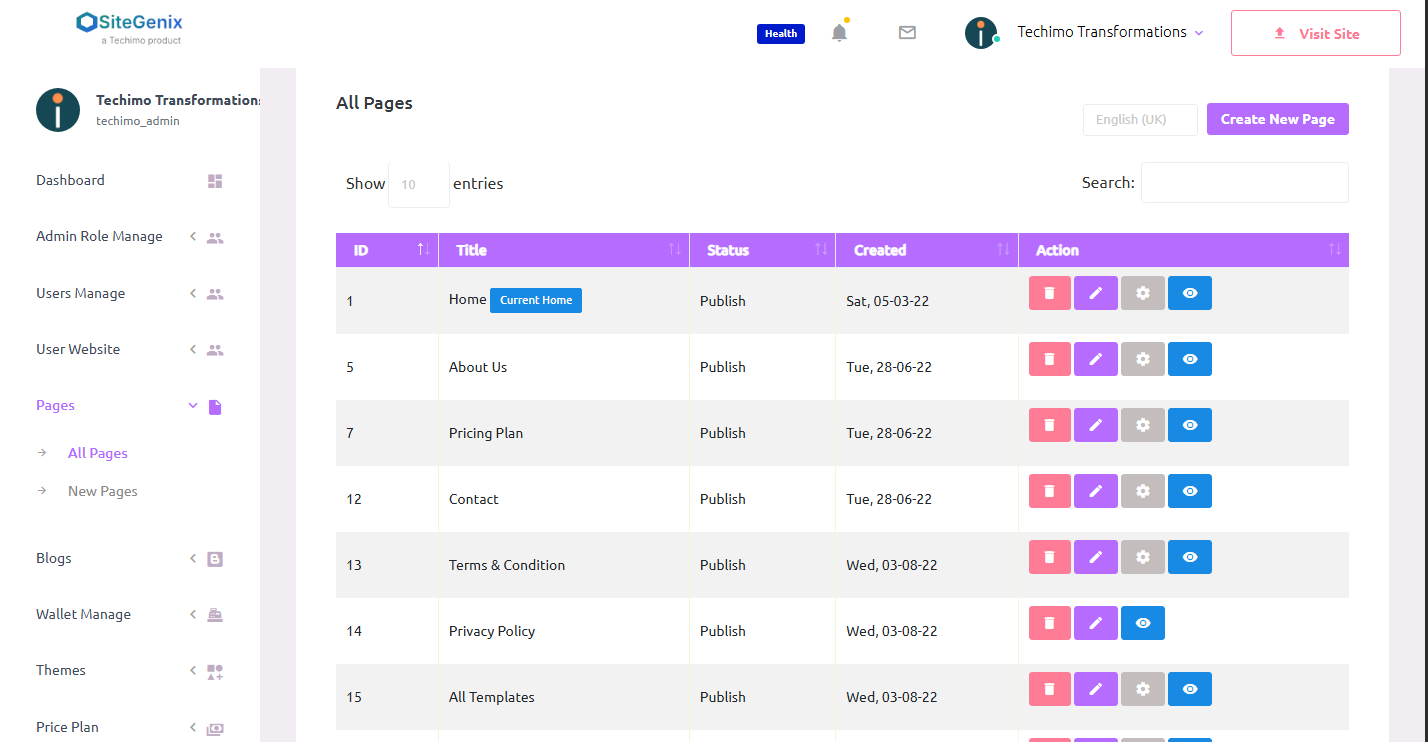
This will open a list view of all previously created pages.
Available Actions in the Pages Tab:
View Pages: Browse all the existing pages in the system with key information such as page title, status (published/draft), and actions.
Add New Page:
Click on the "Add Page" button.
Enter the title and other basic details of the page.
Save to proceed with editing the content.
Edit Page Content
Select the page you wish to edit.
You can either:
Edit using basic editor for text and layout updates, or
Open with Page Builder to use advanced design features.
Use the Page Builder (Drag-and-Drop Interface)
Sitegenix's Page Builder provides a flexible and visual way to design pages.
Simply drag and drop pre-built widgets into your layout.
Widgets may include text blocks, images, banners, sliders, forms, buttons, product displays, and more.
Customize each widget's content, style, and behavior using the intuitive settings panel.
Delete a Page
To remove a page, click on the Delete icon next to the desired page entry.
A confirmation prompt will appear to ensure safe deletion.
Publish or Save as Draft
After designing the page, you can publish it immediately or save it as a draft for future editing.
Benefits:
User-Friendly Interface: No coding required – ideal for users of all skill levels.
Modular Design: Use ready-made widgets to create visually appealing and functional pages quickly.
Full Control: Modify content, structure, and style with real-time previews and updates.
Notes:
- Ensure each page has a clear title and SEO-friendly URL slug.
- Use the Page Builder for custom designs or landing pages.
- Regularly update static pages like About Us, Contact, and Services to keep information current.